

Is Torrenting Illegal? How to Torrent Safely? 5 Tips to Remember
 Tony Bennett
  2022.01.27
What is torrenting? Simply put, it’s a practice of downloading and uploading files through the BitTorrent network. BitTorrent is a peer-to-peer (P2P) transfer protocol with a faster transmission rate compared to traditional HTTP and FTP protocols, making it an efficient method for distributing large open-source datasets, software updates, and public-domain content.
The BitTorrent network helps find users sharing specific files and download pieces of those files from multiple sources simultaneously.
Is torrenting legal? In this article, we’ll explore the legal status of P2P file sharing across different regions, the distinction between legal and unauthorized content, and best practices to safeguard your digital privacy.
Table of Contents
Is torrenting legal? In general, YES.
Torrenting and P2P technology itself are entirely legal. The technology is widely used by developers, researchers, and enterprises for efficient data distribution.
However, downloading or sharing files without the explicit permission of the copyright holder is illegal.
-
Legitimate Use Cases: Many files shared via BitTorrent are completely legal, such as Linux distributions, open-source software, creative commons media, and public domain documents.
-
The Compliance Challenge: It can sometimes be difficult to verify the licensing status of files on public P2P networks. Unauthorized sharing of copyrighted works constitutes internet piracy, which violates local laws and international copyright treaties.
-
Security Risks: Unverified torrent networks can occasionally expose users to cybersecurity threats, including malware, adware, or malicious trackers embedded in file packages.
Internet Service Providers (ISPs) actively monitor network traffic patterns. If an ISP or copyright enforcement agency detects unauthorized distribution on a connection, they may issue warning letters or enforce throttling of your internet connection speeds.
Legal Landscape of P2P File Sharing by Region
Regulations regarding P2P technology vary significantly around the world:
-
United States: P2P technology is legal, but federal and industry bodies strictly enforce copyright laws. ISPs routinely monitor heavy data streams and may throttle speeds or forward DMCA notices. Many users employ a virtual private network to encrypt their personal web traffic from third-party monitoring.
-
United Kingdom: The technology itself is legal, but sharing copyrighted media without authorization violates UK law. The Investigatory Powers Act (IPA) allows ISPs to retain connection records, emphasizing the importance of personal data encryption.
-
South Korea: P2P technology is legal, but downloading copyrighted files without a valid license is prohibited. While the focus has primarily been on cracking down on unauthorized distribution hubs rather than individual downloaders, robust data privacy measures are recommended.
-
Mexico & Spain: P2P network utilization for personal, non-commercial use generally exists within a permissive legal framework, provided no commercial gain or copyright infringement is involved.
-
Switzerland & The Netherlands: Swiss and Dutch laws generally permit P2P downloading strictly for private, non-commercial personal use, provided that unauthorized uploading or commercial distribution is avoided.
How to Protect Your Privacy & Secure Your Connection
Whether you are downloading large open-source files, engaging in remote work, or browsing public networks, securing your connection is essential for data privacy.
1. Encrypt Your Connection with a Quality VPN
The most effective way to secure your network traffic and prevent third-party snooping is by using a reliable VPN.
-
Block ISP Monitoring: A VPN routes your internet traffic through an encrypted remote server, masking your real IP address and preventing your ISP from analyzing your specific browsing activities.
-
Traffic Encryption: High-level encryption ensures that all data transmitted across your network remains private and secure from interception.
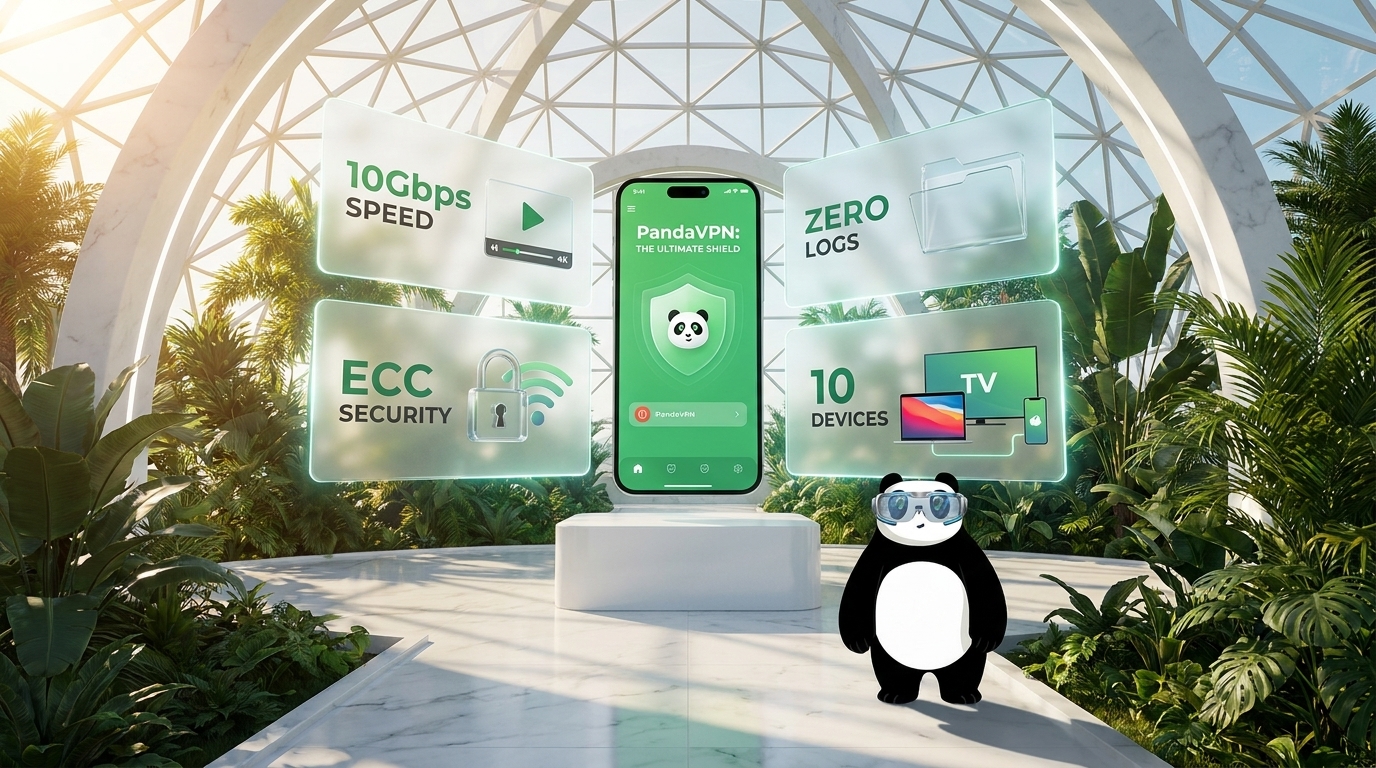
When selecting a privacy tool, avoid unverified free services, which may log user data or compromise bandwidth performance. PandaVPN, headquartered in privacy-friendly Seychelles, provides high-speed connections optimized for secure browsing, streaming, and large file transfers.
-
Advanced Protection: Utilizing the secure OpenVPN protocol and top-tier ECC encryption, PandaVPN shields your connection without compromising performance.
-
Strict No-Logs Commitment: PandaVPN operates under a strict privacy policy, utilizing randomized digital accounts without requiring an email address during registration, ensuring maximum user anonymity.
3 Simple Steps to Set Up PandaVPN for Secure Browsing
-
Step 1. Sign Up for PandaVPN Visit the official website to Get PandaVPN. During registration, a secure, randomized digital account is generated instantly. Select a pricing plan that fits your needs.
-
Step 2. Download and Install the App Download the application from the official site and install it on your devices. A single subscription supports multiple simultaneous connections across Windows, macOS, Android, iOS, Linux, and Android TV.
-
Step 3. Connect to a Secure Server Launch the app and log in with your account credentials. You can use Smart Mode for an optimized, one-click connection or manually select a server from the global network list to ensure your connection remains private and protected.
Other 4 Best Practices for Safe Digital Habits
If you want to further enhance your network hygiene and security, consider these additional measures:
-
Use the Tor Network Tor routes your web traffic through multiple decentralized nodes to maximize anonymity, though it generally operates at lower speeds suitable primarily for basic web browsing.
-
Choose Reputable P2P and Download Clients If you work with open-source software or large legal torrent repositories, use trusted, secure clients such as qBittorrent, uTorrent, or Deluge.
-
Utilize Dedicated Seedboxes A Seedbox is a remote cloud server designed for high-speed file transfers, keeping your local IP address hidden behind a secure encrypted connection.
-
Deploy Comprehensive Antivirus Software Always maintain active, up-to-date antivirus protection to scan downloaded files and shield your system against potential malware or malicious payloads.
Conclusion
P2P file-sharing technology is a legitimate and efficient tool when used lawfully for open-source materials and public-domain content. However, safeguarding your personal data privacy and avoiding ISP monitoring or security vulnerabilities is paramount. Using a trusted privacy solution like PandaVPN ensures your digital communications remain encrypted, anonymous, and secure.

A tech enthusiast who currently works for PandaVPN enjoys sharing VPN and tech industry information and is passionate about helping others solve their problems.
Related Posts


Featured Posts